Posts

Oracle Database SQL and PL/SQL Tricks and Tips
Image
Oracle Database Tricks & Tips People in the Oracle technologies they always dealing with Oracle Database related queries, need some time help, best practices should be implement in the daily activities. Here are some common daily using SQL queries which work on 12c to 19c and later as well.  SQL commands run on Oracle Database using sqlplus, sqldeveloper   How to check user exists or not on Oracle DATABASE?   select username from DBA_USERS; Find connected to which user?  SQL> show user  How to search for specific user in the Oracle Database? SELECT username from DBA_USERS where username like '%DEMO%';  USERNAME  --------------------------------------------------------------------------------  DEMOADM  How do you know RCU users account_status expired?   Here we can query the username with 'PREFIX' containing word, and to know about EXPIRED account_status. set pagesize 100 column username format a25 Select username,...
Oracle APEX 20.1 Admin Account Locked - Troubleshooting

I'm working on the Upgrade project where Oracle APEX 19.1 to Oracle APEX 20.1. All the steps which are given in the documentation I've followed. Able to login the the APEX Admin as well. Here the story begans, my other team members didn't observed there is a change in the ADMIN password and tried multiple times with OLD Password, then the ADMIN user was locked. Now even though I've correct password could not able to login to the APEX admin user.  How do we know this? Oracle Apex Workspace Admin login had an issue, where it was configured with a passwd which was mistakenly used old and that leads to lock the ADMIN user blocked. This APEX Login failed and say that account is blocked. There could be two reasons. First, the browser cache holding the old and wrong password so not allowing you to log in to the ADMIN account. You could try on a different browser if you are in Chrome(login issue), use Firefox or Internet Explorer try to login. Changing browser did not work!  Th...

Installation of Oracle Fusion Middleware 12c GoldenGate Monitor & Veridata

Image
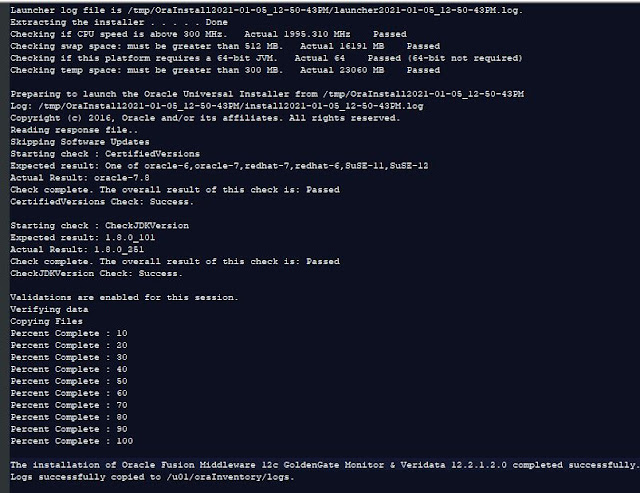
The objective of this blog post is the Installation of Oracle Goldengate Monitoring Agent in a silent mode. Here in this experiment, we will see the silent mode installation of Oracle Fusion Middleware 12c GoldenGate Monitor & Veridata 12.2.1.2.0 Pre-requisite Operating System: oracle-6,oracle-7,redhat-7,redhat-6,SuSE-11,SuSE-12 for this experiment used Oracle Linux 7.8 CPU speed is above 300 MHz Memory ; 8GB (min) Diskspace: as per your Data needs to pumped Temp space: must be greater than 300 MB. Swap space: must be greater than 512 MB The platform requires a 64-bit JVM Java version: 1.8.0_101 Database: Any database fine- for this choose Oracle Database 12c Environment Setup Create Response File #DO NOT CHANGE THIS. Response File Version=1.0.0.0.0 [GENERIC] #The oracle home location. This can be an existing Oracle Home or a new Oracle Home ORACLE_HOME=/u01/GG_MONITOR12212 INSTALL_TYPE=GoldenGate Monitor Agent Installation There could be a few important fields that need t...

Installation of Golden Gate 19.x on Oracle Linux

Image
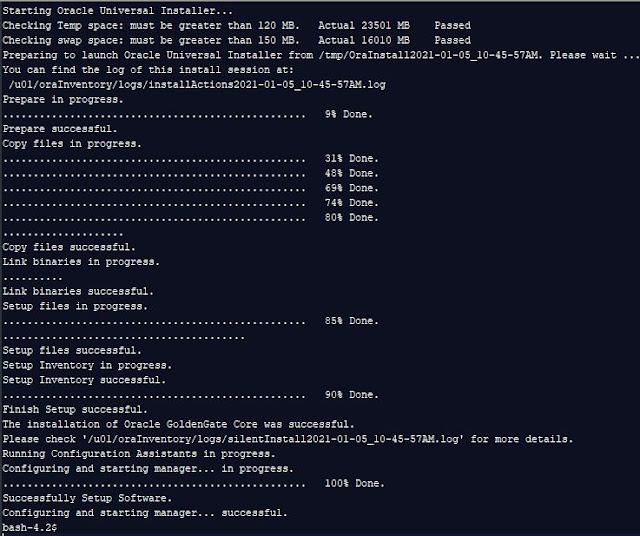
 The objective of this is post is for the installation of Oracle Golden gate 19.x on Oracle Linux. Pre-requisites Operating System: Oracle Linux 7.x Memory ; 8GB (min) Diskspace: as per your Data needs to pumped Temp space: must be greater than 120 MB. Swap space: must be greater than 150 MB. Database: Any database fine- for this choose Oracle Database 12c Environment setup Before running the installer we need to setup the Database Home you can run the 'oraenv' or else export the ORACLE_HOME, ORACLE_SID, and LD_LIBRARY_PATH Create Response File There could be a few important fields that need to add the values are:    INSTALL_OPTION =ORA12c or ORA19c  Specify ORA19c for installing Oracle GoldenGate for Oracle Database 19.x  ORA12c for installing Oracle GoldenGate for Oracle Database 12c and ORA11g for installing Oracle GoldenGate for Oracle Database 11g SOFTWARE_LOCATION =/u01/OGG_19C you can give as per your needs START_MANAGER =TRUE if you want to start th...

Installing Oracle Analytics Client Tools on Windows

Image
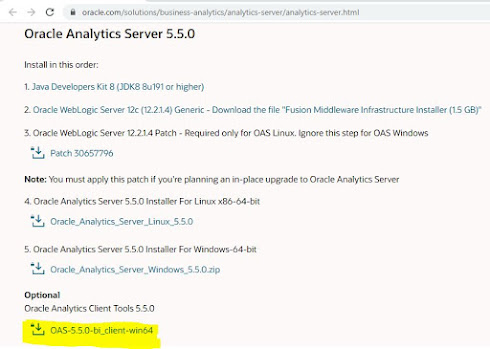
Purpose This blog post is intended for all the Oracle Analytics Server Administrators, Developers, Data Model designers, DW architects. Prerequisites Installation of  Oracle Analytics Client Tools  5.5.0 on Windows 64bit Download the OAS Client Tool Step 1: Uncompress the downloaded zip file  OAS-5.5.0-bi_client-win64.zip use any unzip tool which runs on a Windows machine. Step 2 : Open a new CMD and 'Run as Administrator' enter the .exe file hit ENTER key C:\work\data>OAS-5.5.0-bi_client-win64.exe Step 3: Launches install wizard Wizard step 2 Wizard step 3 Wizard Step 4 Wizard Step 5 Wizard Step 6 (Development of RPD or online RPD connections required this configuraiton) Wizard Optional Step "Add" ODBC configuration Select "Oracle BI Server DSN Configuration" is specific to your Datasource to which you have target to use, stored as Data.Source.. (This step is must for Design Data Model and Develop new RPD files) Troubleshooting If you run the installer f...

Advanced Analytics on OAS with R, R-packages

Image
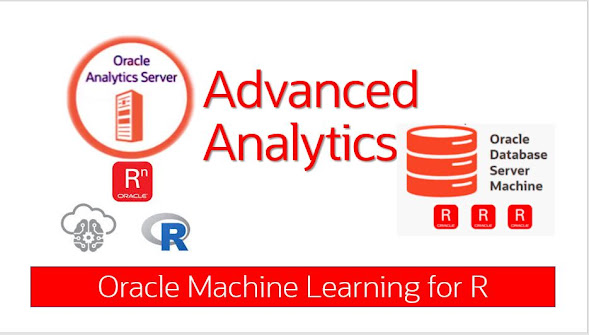
Installing R and R Packages on OAS 5.5.0 The main objective of this post is to give step-by-step "Installing of R and R-Packages" in an Oracle Analytics Server (OAS) 5.5.0. Similar steps were followed earlier on OBIEE environments as well. Here I have the target installing platform is "Oracle Linux" same steps will work for all RHEL flavors. What is R? R is open-source programming language and it is specially designed as scripting environment for statistical computing and Visualization graphics. R programming evolving since 1994, as an alternative to SAS, SPSS, and other proprietary Statistical environments.  R Environments with a rich set of packages to enhance productivity in businesses such as :  Spatial Statistics  Financial Market analysis  Bioinformatics  Social Network analysis What is the purpose of this installation? In the data Analytics, there is huge scope for external Logical SQL functions such as "EVALUATE_SCRIPT", "FORECAST...

How to Control BI Services on OAS

Image
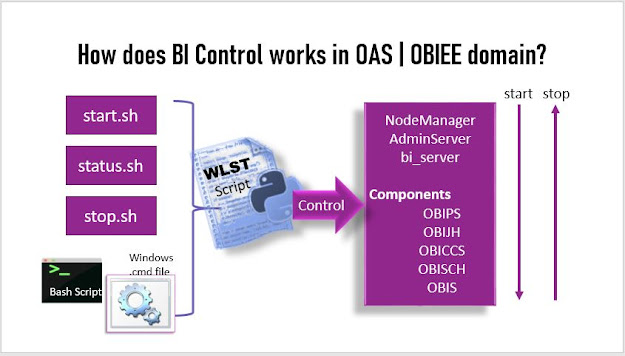
Namaste!! Welcome back to My Oracle Fusion Middleware Experiments blog. This post is for Novice OAS domain users, who just started working on the OAS domain. You might face this issue when you have an OAS domain running which was configured by someone and you have newly joined the team, and due to some reason the Linux box rebooted!  Contents Introduction Prerequisites/Assumptions Control Flow Start, Stop, and Status of BI server Alternate Options Checking Status Troubleshooting: status STARTING forever Check WebLogic Server PID, JAVA_OPTION Summary Introduction OAS (Oracle Analytics Services) Domain is a WebLogic domain, that consists of AdminServer and bi_server as managed server which associated with five Business Intelligence (BI) components (OBIPS, OBIJH, OBICCS, OBISCH, OBIS). Arrangement of the components are shown in the image below.  Prerequisites/Assumptions Oracle Analytics Server installed or OBIEE (legacy) Connected database up and running Control Flow Starting an...