Posts

Oracle Service Bus (OSB) Silent mode installation

Image
Welcome 🎻🎷🎷 to MyOFMWExpeirments blog fans!! In this post I would like to share the OSB installation in silent mode.  The basic assumptions are you have already provisioned a Linux VM. It can be on your own Laptop or on the one of Cloud provider. The Begining You could download the OSB Software which is available as zip file V78173-01.zip from edilvery.oracle.com it will be changing for every time when Oracle packs a new bundle. Oracle Service Bus OSB silent mode installation For this learning and experiment purposes, alternative download is available on OTN. Prerequisites JDK 1.8.0_xxx installation Oracle Fusion Middleware Infrastructure installation Oracle SOA Suite 12.2.1 installation  [Optional] Preparing for the installation, Firstly do unzip the downloaded file and then proceed with the following steps. Step 1: Create oraInst.loc file Just like other products you tell about Oracle inventory details. If you don't have already on your machin...
Creating SOA domain using WLST

Image
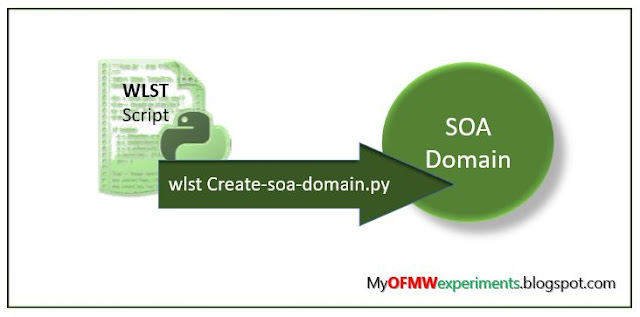
Hello, Oracle products fans!! This post I would like to dedicate to all who are interested to grow with the automation skills and part of paradigm shift from on-prem to Cloud platforms. There is lots of need in the various Oracle cloud platforms where internally uses Python scripting that is, WLST automation are base for building the Enterprise level architecture. Prerequisite for SOA domain  To run the script you must have Installed the Oracle JDK Installed Oracle Fusion Middleware Oracle SOA Suite on your machine or VM Database up and running as per the certificate matrix Please read all parameters which are used in this WLST script and do changes as per your project requirements. Oracle SOA Domain using WLST Create a below create_soa_domain.py file and place in any location on your machine where you can run WLST WLHOME = ORACLE_HOME+'/wlserver' ORACLE_HOME = '/home/oracle/products/12.2.1/Oracle_Home' DOMAIN = 'soa_domain...

Troubleshooting with unpack command in WebLogic Infrastructure 12.2.1.3.0

Image
WebLogic traditional method for extending the configured domain in the remote machine for managed servers is using pack and unpack methods. It was discussed earlier in the Middleware Admin page and also in the blog post in the Weblogic 12c Essentials blog. Unpack.sh command ERRORS in WebLogic 12.2.1.3 ======================================= Issue #1: password option is depricated instead of it use walletDir option. [wladmin@myremote.localdomain /u01/app/middle12213/oracle_common/common/bin]$ ./unpack.sh -user_name="weblogic" -password="welcome1" -template="/u01/software/best_domain.jar" -domain=/u01/domains/best_domain Warning: Option "-password" is deprecated. Use "-walletDir" to specify wallet where pw is stored. << read template from "/u01/software/best_domain.jar" >>  succeed: read template from "/u01/software/best_domain.jar" << find Security "best_domain" as obj0 ...

Oracle Database 12c Client installation in Silent Mode

Image
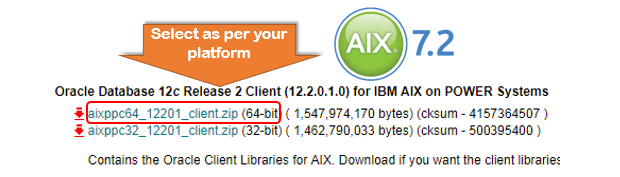
Namaste!! Welcome to 'My   OFMW   Experiments' blog! In this post, I would like to share my experiment that worked out for cooked recipes for those who are looking for silent mode installation of Oracle Client . where the applications need to use the connectivity to the Database and to execute SQL commands.   How to Download the Oracle Database 12c client? Most of the Oracle Utilities projects using the Oracle Client. Where Oracle database uses 12c then in the application software stack uses same version of Oracle Client. Choosing the right platform specific downloads is important. Which are available on OTN and also on e-delivery. Here I've worked on Oracle 12.1.0.2 database and client then again on Oracle 12.2.0.1 database and client combinations. Using VNC viewer we can install the software media but if you don't have that service available that alternative is silent mode installation. Make sure your OS have the unzip command for uncompressed. Now, unzip the do...

Get SSL Certificates expiration dates using Simple Java Code

Image
I have been looking for neat solution to find out the expiration dates for WebLogic Server using SSL Certificates in a given Java KeyStore, The limitation with Unix and Python scripts would be that we will end up working with the string value that Java keytool Utility returns. After several trials to be more effective, I believe it is better to do this using Java Code. So below snippet would be of some help to those who are looking for similar thing. import java.io.FileInputStream; import java.security.KeyStore; import java.util.Enumeration; import java.io.IOException; import java.security.cert.X509Certificate; import java.security.*; import java.util.Date; import java.text.SimpleDateFormat; import java.util.*; public class sslcertsExpirydates_2 { public static void main(String[] argv) throws Exception { try { KeyStore keystore = KeyStore.getInstance(KeyStore.getDefaultType()); keystore.load(new FileInputStream("/u01/app/oracle/product/fmw/wlserver/serve...

Installing Latest JDK for Oracle Fusion products

Image
Welcome to learning Fusion Middleware Administration. You need to know about your installation machine details first accordingly you can select the platform, architecture specific JDK. Download JDK1.8[latest version] Install JDK 1.8.0_65 tar.gz on Linux platforms cd [[where you wish to install Java]] tar -zxvf /vagrant_data/jdk-8u65-linux-x64.gz This will extract and also runs the libraries paths related to that architecture x86 or x64. Though there are many other options for JDK installations, This procedure is more generic you can do it any Linux OS -linux-x64.gz file end side. set the JAVA_HOME After installation of JDK you need to setup the the JAVA_HOME environment variable in the profile and relogin to the box. This relogin is required to reflect the JAVA_HOME value into the PATH. Add the following lines into your .bashrc or .bash_profile. export JAVA_HOME=/home/vagrant/jdk1.8.0_65 export PATH=$PATH:$JAVA_HOME/bin JDK rpm installation Go to the Oracle Technical Ne...

Creating the Oracle Traffic Director Domain using WLST

Image
This is a continuation of Oracle Fusion learnings, out the list OTD, In the previous post we had Oracle Traffic Director installation was discussed. In front end technologies of Oracle come with a great set of the stack after Oracle Fusion Middleware 12c, one of them is Oracle Traffic Director. Here in this post would like to discuss how we can automate the process of OTD domain creation. Oracle came up with this tool when the market is occupied with CISCO and BIGIP load balancer, which are expensive and when you take the whole stack then you will be get benefited in license cost. OTD main functionality is to  load balancing the HTTP requests can be handled with different balancing strategies such as : Active- Active Active-Passive Prerequisites for OTD Domain There must be at least two similar sites which can be routed with OHS or any proxy webservers. Each proxy or WebGate pointing to a WebLogic based domain it could be SOA domain as well. Example ohs1 pointing to SO...